Home / Guide / Printer setup and print checks
Guide 8 of 11Printer setup and print checks
Tell the app which printer you have and it checks that your design fits, then helps it print well.
Choose your printer
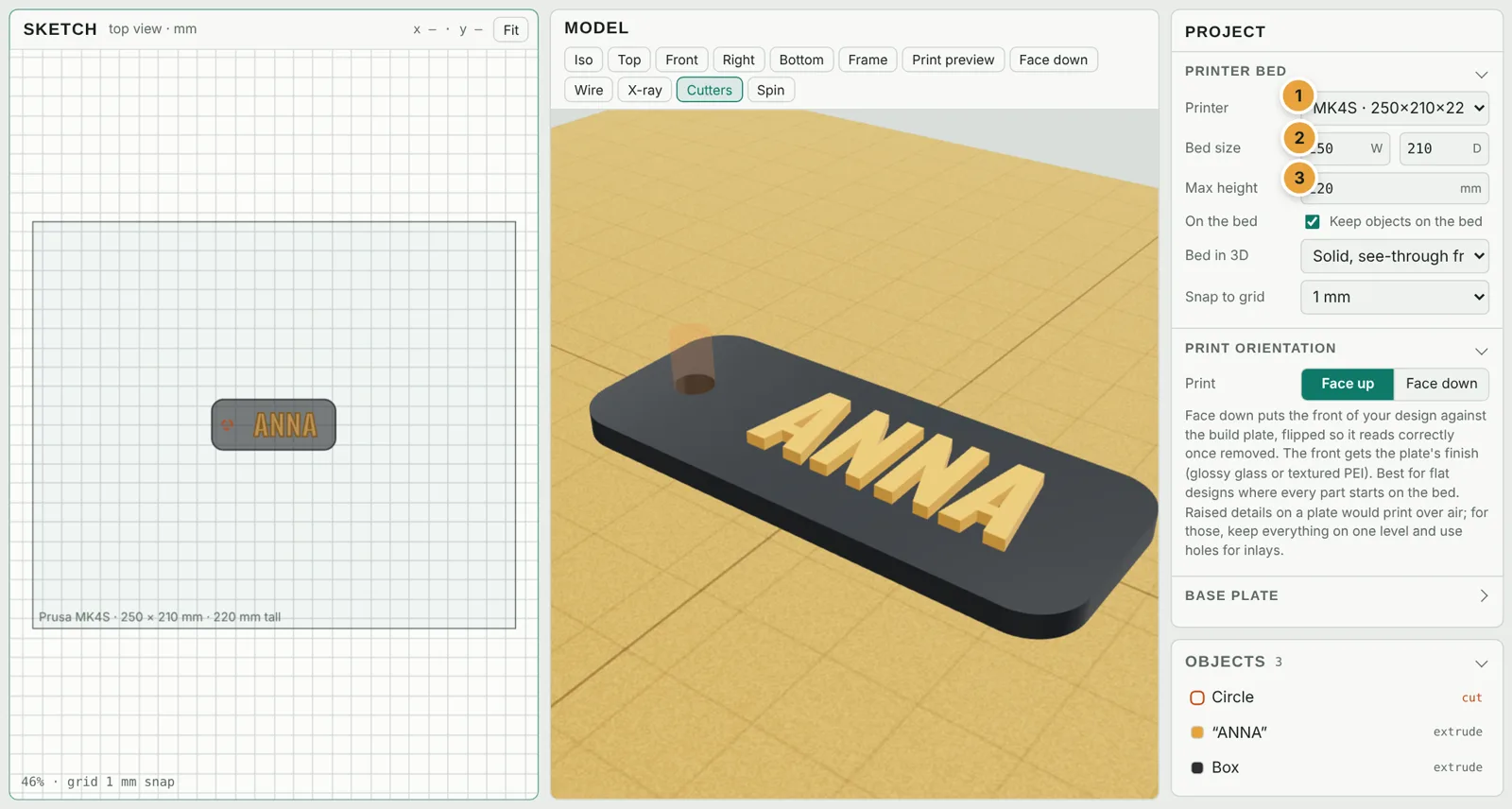
- Printer: 99 popular printers from Bambu Lab, Prusa, Creality, Elegoo, Anycubic, Flashforge, Qidi, Sovol, Anker, Artillery, Snapmaker, FLSun, Voron, UltiMaker, Kingroon and Two Trees. Delta printers such as FLSun get a round bed.
- Bed size: filled in for you; type your own for any other printer (the menu switches to Custom size).
- Max height: the tallest print your printer can make. The print check warns when a design is too tall.
Also here: Keep objects on the bed, how the bed looks in 3D (see-through from below by default), and Snap to grid.
Base plate
Tick Add plate to put a plate under everything and join loose parts into one print. Set its Margin, Thickness and Corner radius.
Face-down printing Pass · Maker · Seller
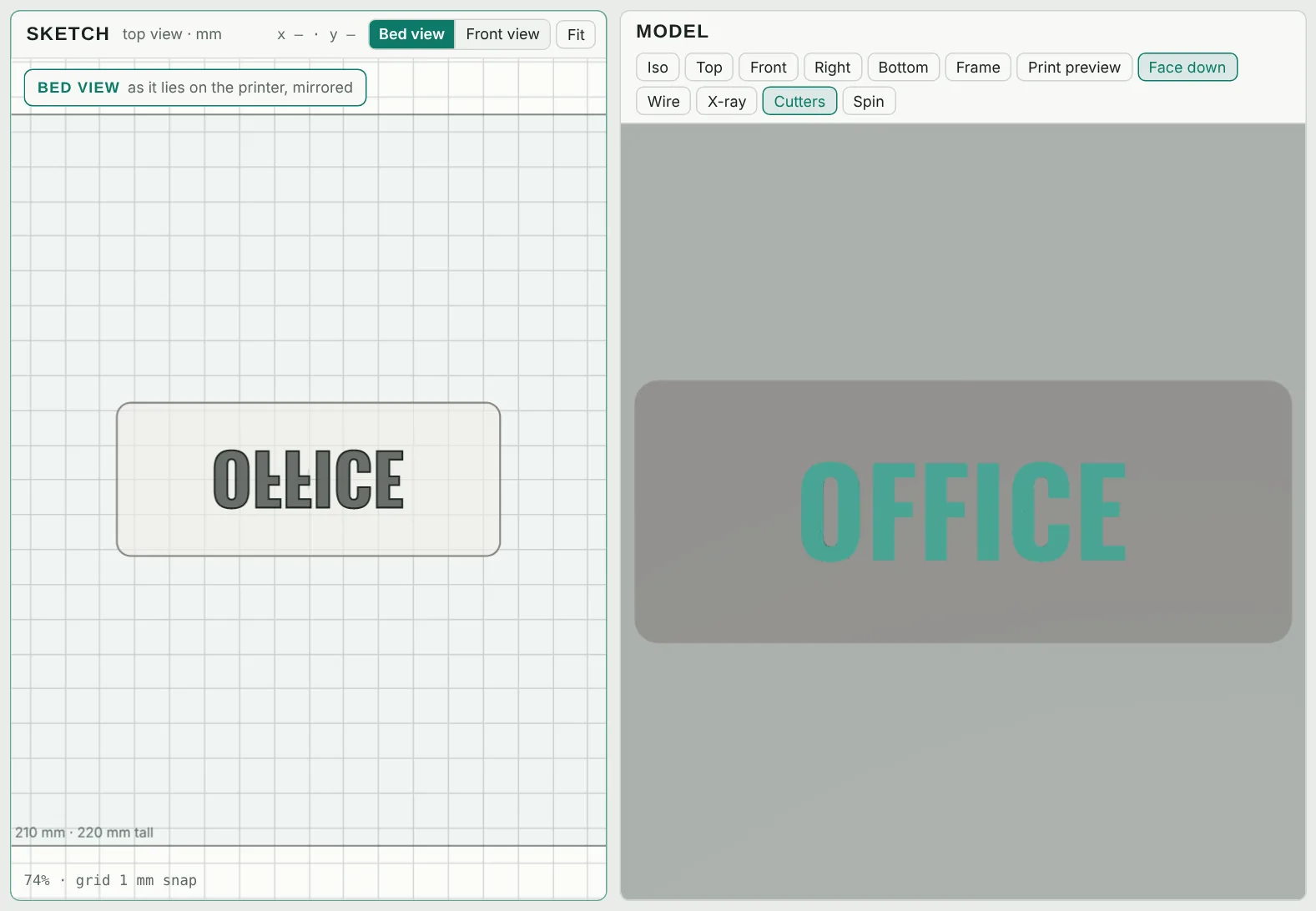
Face down (Project panel, or O in the 3D view) prints the front of a flat design against the build plate, so it comes out as smooth as the plate: glossy on glass, textured on PEI. The model is flipped for you so it reads correctly once you lift it off. Use the Bed view / Front view switch in the sketch to see it either way.
Raised details would print over air when face down; the app warns you, and Make raised parts flush (inlay) fixes it.
Print preview Pass · Maker · Seller
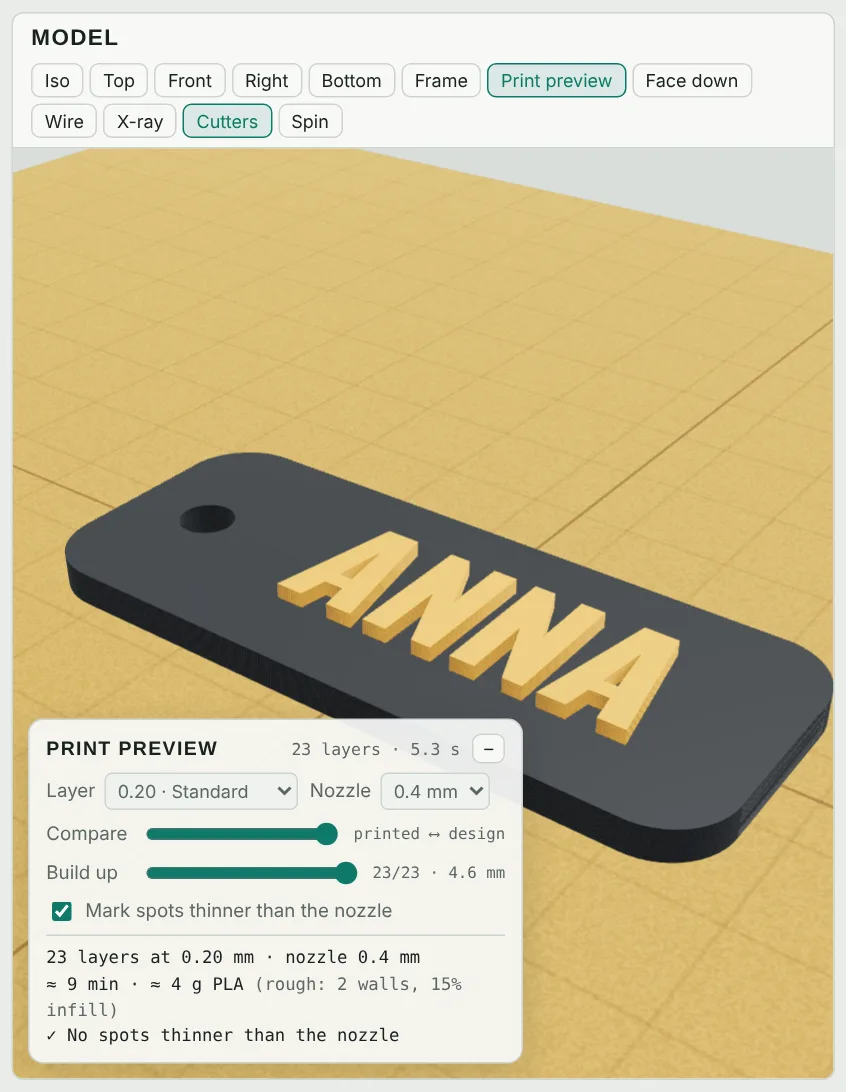
Print preview (L) slices the model into real layers at your Layer height and Nozzle size, estimates time and filament, and marks spots thinner than your nozzle in red, which are the bits that would print badly or not at all.
Drag Compare to wipe between the printed layers and your design, and Build up to watch it print layer by layer.
The print check
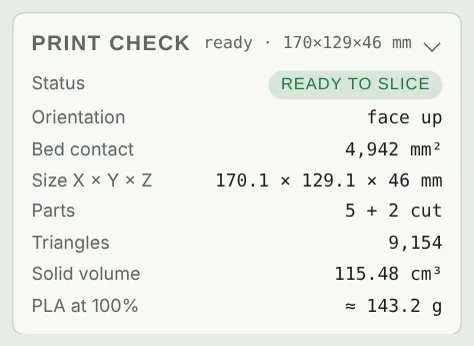
The Print check card (in the panel with nothing selected) sums up your design: whether it fits the bed and height, whether it touches the bed, parts that would print over air, bed contact area, size, number of parts and an estimate of PLA.