3D forms
A flat shape becomes 3D through its Form and a few numbers in the 3D form section of the panel.
Height and lift
Height is how tall the part grows. Lift above bed raises it, for example to put text on top of a 3 mm tag (lift 3 mm). With Keep objects on the bed switched on (Project panel), parts that are not stacked on something always sit on the bed.
Twist, top scale and bevel
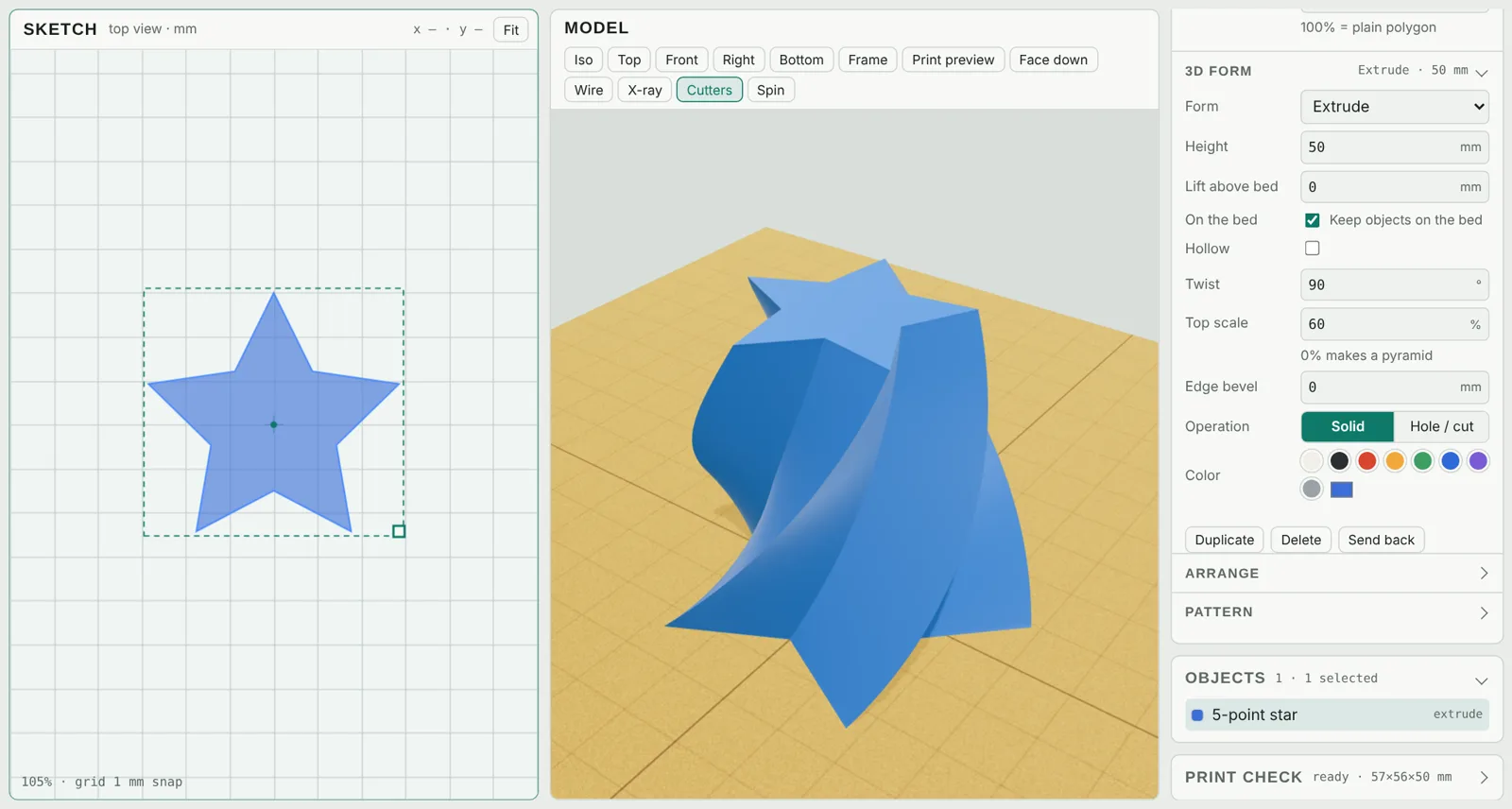
- Twist turns the shape as it rises, in degrees from bottom to top.
- Top scale makes the top bigger or smaller: 0% gives a cone or pyramid, 150% flares outward.
- Edge bevel rounds or chamfers the top edge, the bottom edge or both, which looks good and makes prints easier to remove.
Revolve: vases, knobs and bottles
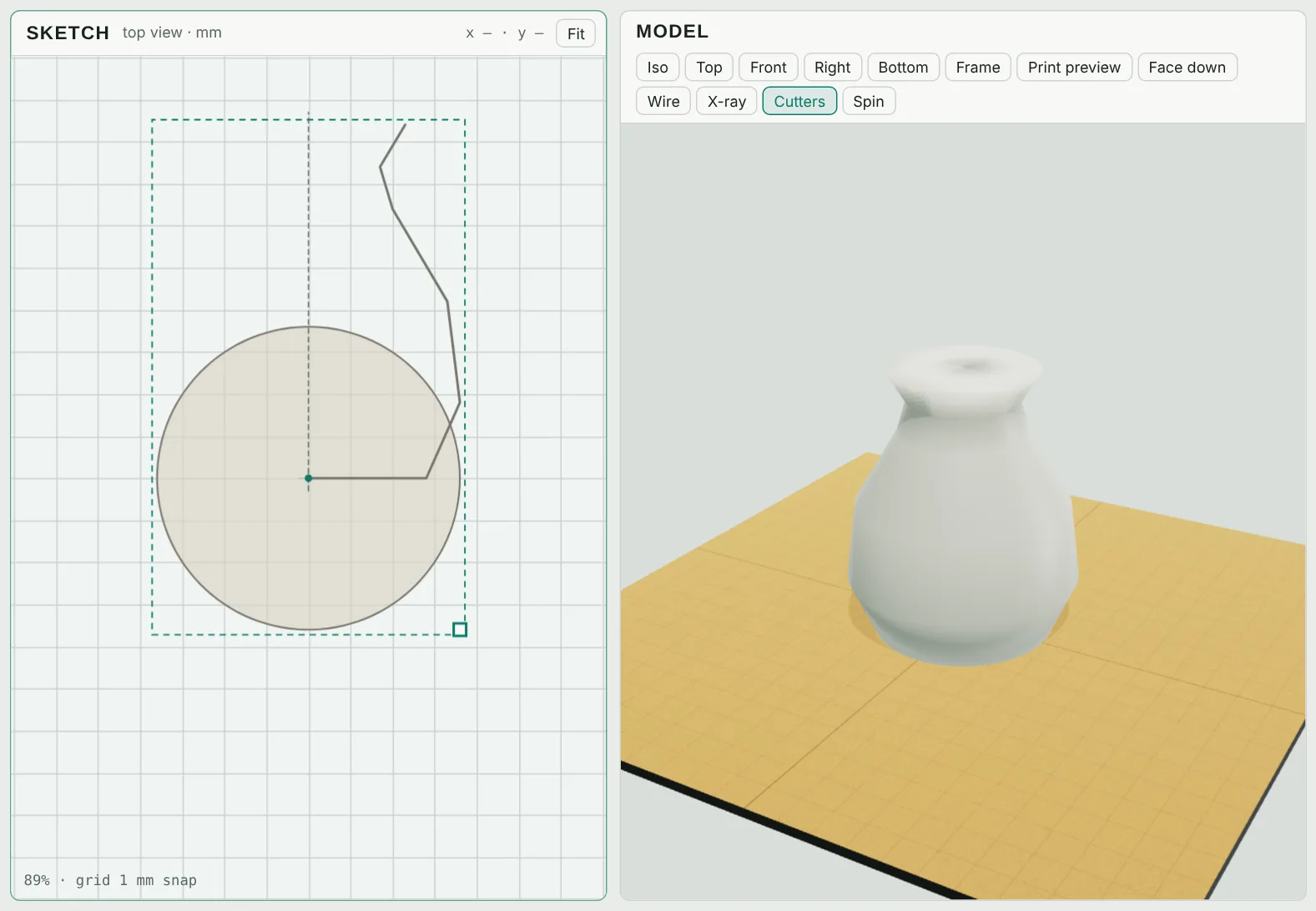
- With the Pen (P), draw the right-hand half of the outline, starting at the bottom center and ending at the rim. Double-click to finish.
- In the panel, set Form to Revolve (lathe). The leftmost point of the line is the spin axis (the dashed line).
- Tick Hollow to turn it into a vase (next section).
Hollow: cups, vases and containers
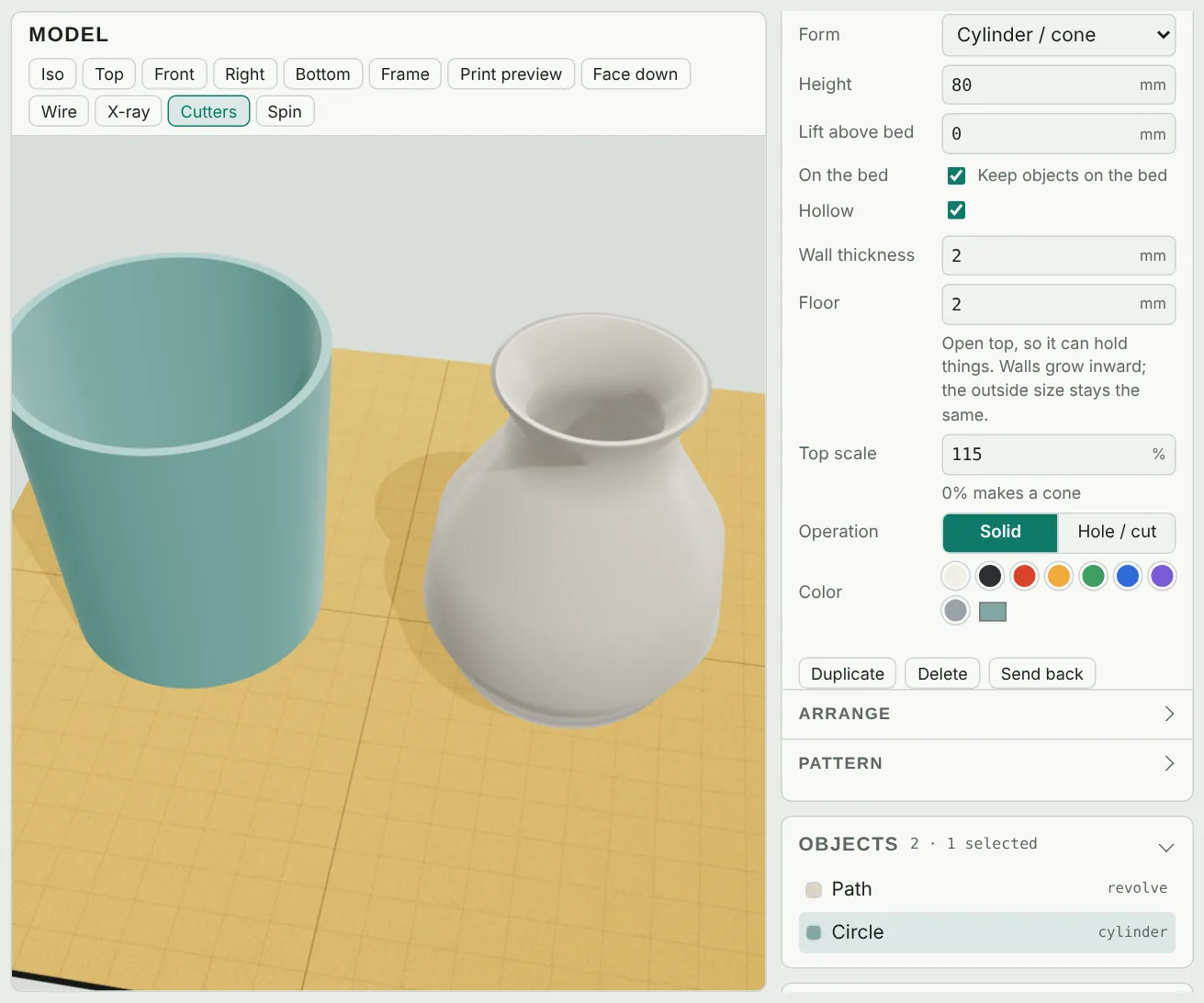
Tick Hollow in the 3D form section and set:
- Wall thickness: 1.6–2.4 mm works well with a 0.4 mm nozzle (four to six lines).
- Floor: the thickness of the bottom, 1.5–3 mm.
The top stays open. Walls grow inward, so the outside size you designed does not change. Hollow works on boxes, circles, polygons and stars, closed pen or freehand shapes, traced images and revolved lines, and it follows twist and top scale, so a twisted star becomes a twisted vase. In the sketch, a dashed line shows the inner wall.
Vase mode tip: for a single-wall vase, export the solid version (Hollow off) and turn on your slicer's spiral/vase mode instead.