Draw it. Extrude it.
Print it.
Extrudable turns sketches, text and images into clean, print-ready STL and 3MF files: smooth curves, real colors, and a layer-by-layer preview before you heat the nozzle.
No account needed to start. Nothing to install.
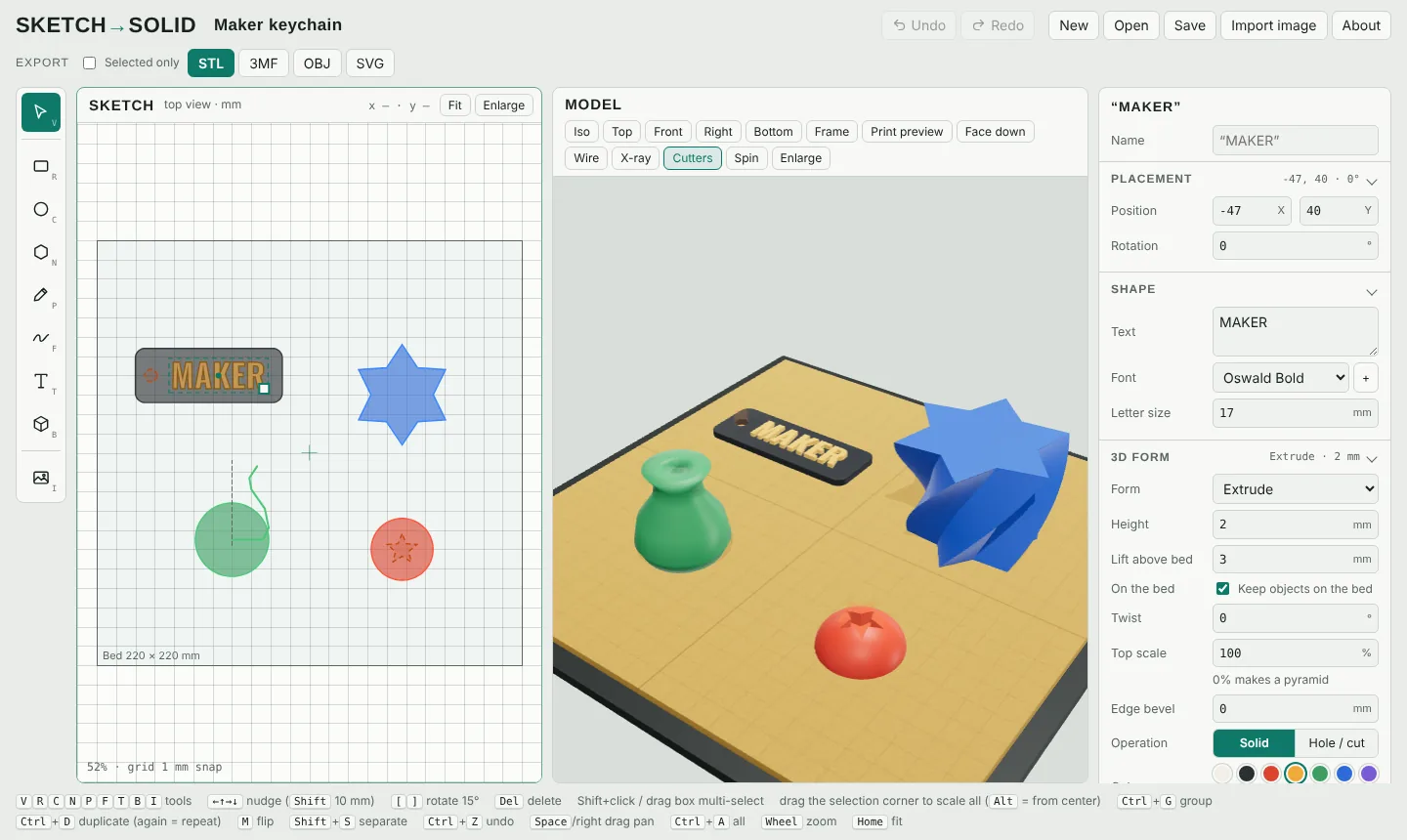
From idea to print file in three steps
Draw or import
Sketch shapes, type text in the built-in fonts or your own, or drop in a PNG, JPG or SVG and get smooth, editable outlines.
Shape it in 3D
Extrude, bevel the top or bottom edge, twist, revolve, or cut holes. Group, align, mirror and repeat parts the way you would in any CAD tool.
Check and export
Preview real layers at your layer height, catch details too thin for your nozzle, then export STL, OBJ, 3MF with colors, or SVG.
Built for things you actually print
Tracing that keeps curves smooth
Outlines are traced between pixels and smoothed, so circles stay round and sharp corners stay sharp. Every separate part keeps its color from the original image.
Face-down printing, done for you
Print the front against the build plate for a glossy or textured finish. The program mirrors everything correctly, warns about parts that would print over air, and can make raised details flush for clean two-color inlays.
See the print before you print
A real layer-by-layer preview at 0.05 to 0.32 mm shows stair-stepping on curves, marks details thinner than your nozzle, and estimates time and filament.
3MF with colors and named parts
Multi-color designs open in your slicer as separate, named parts with their colors, ready to assign to filaments. STL and OBJ are there too.
A real toolbox
Boxes, cones, roofs, wedges, domes, tori, hearts, stars and text; holes that cut through parts; groups, align, mirror, patterns, and repeat-duplicate for rows and circular arrays.
Bed-aware from the start
Parts stay on the bed when you scale them, you can look up through a see-through plate, and the bed-contact check flags parts that barely touch it, before they pop loose.
Know how it will look at 0.28 mm
Slide between the smooth design and the printed layers. Domes, bevels and chamfers show exactly how much stair-stepping you'll get at each layer height, so you can pick speed or detail with your eyes open.
Try it on your own design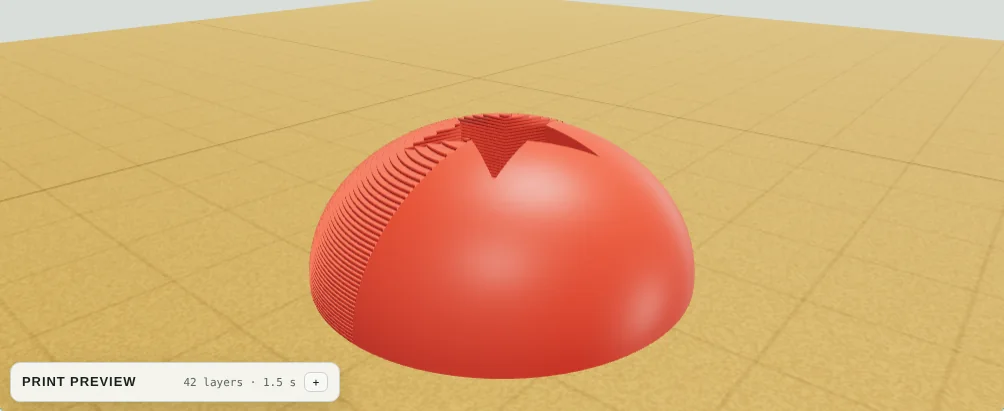
What people make with it
Free to start. Fair when you're ready.
Design for free with no account. Export with a free account, grab a $5 7-Day Pass that never renews, or subscribe from $6/month. Selling your prints? The Seller plan includes a commercial license.
Compare plansQuestions
Do I need an account to use it?
No. Open the app and start designing right away. When you export your first file we ask for an email address, so we can keep your free account and send your files and receipts. Paid plans add more export formats and features.
What files can I make?
STL and OBJ for any slicer, 3MF with separate named parts and colors for multi-color printing, and SVG outlines for laser cutters and vinyl cutters. You can also save the whole project and reopen it later.
What can I import?
PNG, JPG, WebP and SVG images. Logos and line art become smooth outlines, and photos can become a height relief or a lithophane. You can also type text in the built-in fonts or load your own TTF, OTF or WOFF font.
Which printers does it work with?
Any FDM printer. Extrudable makes the model; your usual slicer (Bambu Studio, PrusaSlicer, OrcaSlicer, Cura and others) turns it into printer instructions.
Can I sell what I make?
Yes, with the Seller plan, which includes a commercial license for prints and files you design. Free, the 7-Day Pass and Maker are for personal use, which includes gifts.
Does it run on a phone or tablet?
It runs in modern browsers. A computer with a mouse is the most comfortable, but you can view and adjust designs on a tablet.