Home / Moldables
MoldablesMolds that are proven to open.
Pick a part and what you will pour. Extrudable3D builds a printable mold, pulls every piece apart on screen to prove it opens, and checks it like a caster would. Free to make; a credit only when you export.

Four kinds of mold
The app looks at your part and suggests one. Click a card to see more.
 Open moldOne piece, pour from the top. Pots, soap, coasters, candles.
- What it is
- A single printed block with your design cut into it, open at the top.
- When to use it
- Flat-backed parts that lift straight out: soap, coasters, candles, pots.
- What you get
- The mold itself, plus a core and a drain plug when the part is hollow.
 Multi-part moldTwo halves, plus cores, side inserts and a parting line that follows the shape.
- What it is
- Two printed halves that close round the part, with a core or inserts added when the part needs them.
- When to use it
- Round parts, figurines and anything with bumps that would catch in an open mold.
- What you get
- Both halves, each printed flat; plus cores, inserts and keepers when there are any.
 Block moldPour silicone round your printed master in a printed box. Pewter too.
- What it is
- Printed tooling for making a silicone mold round your own printed part, the master.
- When to use it
- Many casts, fine detail, food-grade silicone, and pewter, which a printed plastic mold cannot take.
- What you get
- A bed, a lid frame and a sprue former, plus your part itself as the master.
 Gang moldSeveral castings from one pour, with a runner and a gate to each.
- What it is
- One mold with several cavities, fed from a central runner with a short gate to each.
- When to use it
- Medallions, game pieces, or a part and its matching lid, when you want them all from one pour.
- What you get
- One mold, open or in two halves as you choose, with a core for each hollow part when its mouth faces the pull.
What every mold gets
These are built in, on every mold, with nothing to switch on.
 Proven to openThe app pulls every piece apart on screen, step by step, before you print.
- What it is
- A check that moves each piece out along its own line in small steps and stops if anything catches.
- When to use it
- Every mold, every time it is built. A part that cannot come out any way is named before you print.
- What you get
- A green Proven to open row in the Mold Audit; a red banner, "This mold might not open", with a fix button if it fails.
 Mold AuditA caster’s check of the finished mold, with a Fix button where the app knows the cure.
- What it is
- A list of what a careful caster would look at: trapped air, thin walls, locking undercuts, missing draft, weak pins, small pour holes.
- When to use it
- Every time the mold is built and after every change. You can also audit a mold file you imported.
- What you get
- Red notes to fix, amber to look at, and passed checks folded away. Fix is one Undo step.
 Keyed pins and band groovesPins close the halves one way only; full rings hold them for the pour.
- What it is
- Pins and sockets on the flat where the halves meet, with Snug, Normal and Loose fits. Around the outside, grooves for rubber bands.
- When to use it
- Multi-part and gang molds. A mold with a core has four pins, one of them shifted so the halves close one way.
- What you get
- Each band groove is a complete ring; the wall grows a little where a ring needs 4 mm of mold to sit in.
 Pour hole and ventsA pour hole with a funnel, and vents at the high spots so air can leave.
- What it is
- A pour hole on top with a funnel, and small vent holes at the high spots of the cavity.
- When to use it
- Multi-part molds. Material showing in the vents tells you the mold is full.
- What you get
- A funnel on top and small holes beside it; the Mold Audit adds a vent where air would still be trapped.
 Mix calculator and Pour stampHow much to mix, in ml and grams, and optionally raised on the mold.
- What it is
- The casting, the pour channels and an Extra allowance (10 % to start), with the Part A and Part B split for two-part materials.
- When to use it
- Every mold. Type the ratio from your bottle; the app remembers it for each material on this device.
- What you get
- A total such as 52 ml in the pill; tick Stamp the amount and it is raised on the front of the printed mold.
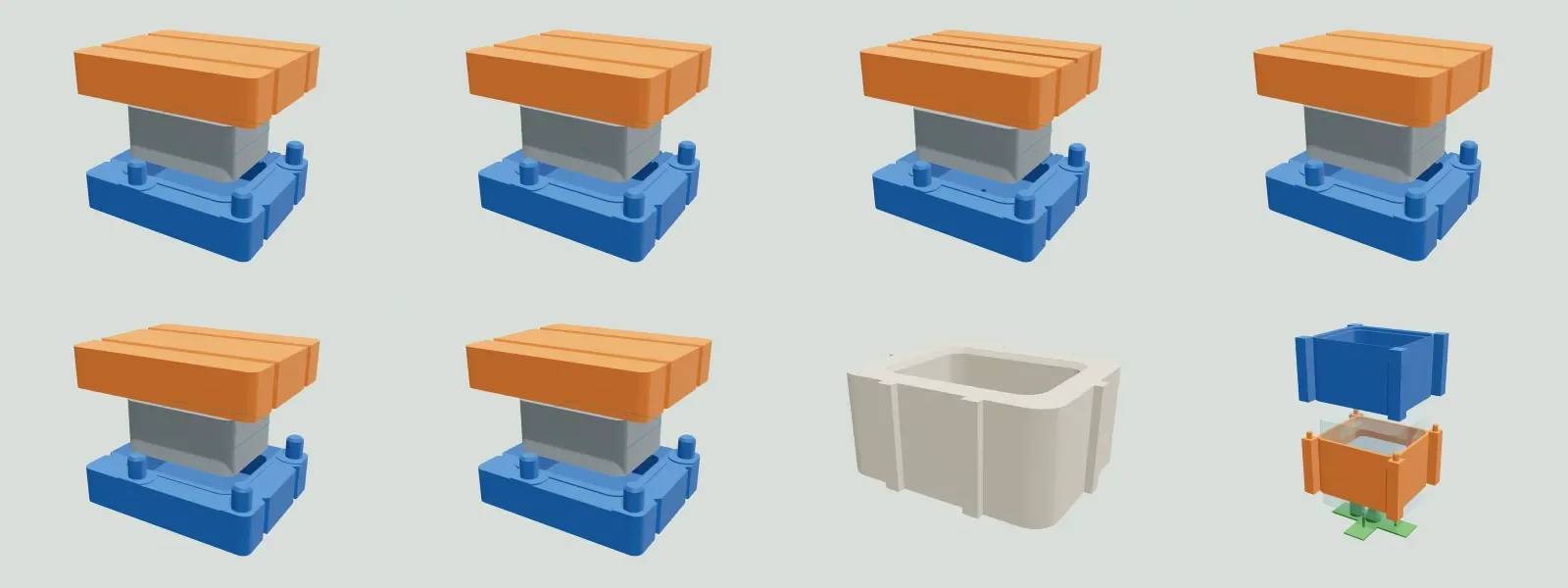 MaterialsPick what you pour; walls, draft and vents follow from it.
- What it is
- Eight materials, each with its own wall, draft, land and vent settings, plus extras where one needs them.
- When to use it
- Always. Picking another material puts its numbers back; you can change any of them.
- What you get
- Wick holes for candles, ribs and a drain plug for cement, a wide sprue and a riser for pewter.
 Watertight checkA part with holes in its skin is refused with a plain reason.
- What it is
- The part is checked for gaps before any cutting. A mold needs a part with no open edges.
- When to use it
- Every mold. Parts made in Extrudable3D pass; imported models sometimes do not.
- What you get
- A short message saying why the part was refused, instead of a slow guess that could freeze the browser.
When the part needs more
Hollow parts, knobs that stick out sideways, figures with arms. The app adds these when your part calls for them.
 Core and Captured coreA hollow part gets its inside as a solid piece, held in place for the pour.
- What it is
- The inside of your part as its own piece. It has a flange and a stem so the pour cannot push it out of place.
- When to use it
- Vases, cups and pots. The core comes out through the mouth, so the inside must not be wider than the mouth.
- What you get
- A green core piece, and a mold you pour from the base, with four pins, one of them keyed.
 Collapsible coreA core that comes apart inside the casting, for a part wider inside than its mouth.
- What it is
- A tapered key with a ring of segments round it, locked by a bayonet turn. Turn the key out, then tip each segment in.
- When to use it
- Vases and bottles. The mouth must be at least 12 mm and the inside no more than about twice as wide.
- What you get
- A key and its segments. The app proves every piece comes out in order, or tells you in red and casts the inside solid.
 Side inserts with keepersA knob or hook that would lock the halves gets its own piece that slides out sideways.
- What it is
- A small keyed insert that forms the bump, and a round keeper that locks it with a quarter turn against pouring pressure.
- When to use it
- Parts with a knob, hook or bump that sticks out sideways. It must be freed by a straight sideways pull.
- What you get
- Purple inserts with lighter keepers that lock with a quarter turn right. After casting: turn back, pull, open.
 Shape-following parting lineThe split follows the part’s widest outline up and down instead of one flat plane.
- What it is
- A parting surface with steps, so the two halves meet along the part’s widest outline.
- When to use it
- Figures with arms or ears out at different heights, which no single flat split can free.
- What you get
- Auto uses it only when it frees something; a teal line on the part shows where the halves meet.
 Maker’s markYour name, a batch number or a logo on every casting.
- What it is
- Text or an outline from your design, engraved or raised, made in the mold’s cavity wall.
- When to use it
- Whenever you want every casting signed. Up to four marks, each on a face that looks along the pull.
- What you get
- Letters that follow a curved face. Your design is not changed; only the mold carries the mark.
 Base pourPour through the base into the bottom of the casting.
- What it is
- The sprue runs through the base of the mold into the bottom of the casting, with the vents coming out of the base too.
- When to use it
- Molds with a core: you stand the mold on the core’s lip or plate and pour from beneath.
- What you get
- A funnel on the outside face of the base instead of on top.
 Set the split by handMove the parting line yourself when you want the split somewhere else.
- What it is
- A parting line you can drag, with the mold rebuilt and checked after each move.
- When to use it
- When the automatic split is not where you want it, for example for a seam you would rather hide.
- What you get
- The same mold pieces, split where you chose, with the usual proof that they open.
 The casting is your partDraft, marks, keys and fits go into the mold. Your design is never reshaped.
- What it is
- Everything the mold needs is added to the mold side: draft, sprues, pins, marks. Your part’s mesh is left as you drew it.
- When to use it
- Always. What you cast is what you designed, down to its size and shape.
- What you get
- The mold changes around the part; the part in your design does not change.
Pick what you pour
Walls, draft, pour hole and vents follow from the material. You can change any number.
- SiliconeSoft, stretchy molds; forgives small undercuts. Walls 3 mm.
- Resin / epoxyTwo-part resin; needs 2° of draft and mold release. Walls 3 mm.
- Wax & candlesMelted wax and candles; adds a wick hole and skewer notches. Walls 3 mm.
- PlasterPlaster and similar mixes; thicker walls and a wide pour hole. Walls 4 mm.
- Chocolate & foodMelt and pour sweets; 3° of draft. A printed mold is not food safe.
- SoapMelt-and-pour soap; no vents needed. Walls 3 mm.
- CementHeavy pours: 8 mm walls, ribs, and a drain plug for pots.
- Pewter & low-melt metalAlways a Block mold in high-temperature silicone, with a riser.
Casting candles, soap or resin? See STL to mold.
Moldables and the usual way
Compared with add-ons and box generators.
| Moldables | Add-ons and box generators | |
|---|---|---|
| Where it runs | In your browser, on a laptop or an iPad. Nothing to install. | Inside a modelling program, or a box round your mesh on a server. |
| What it costs | Free to make, edit and check. One credit to export, from $9 for ten. | A licence tier before you start. |
| Does it open? | Proven piece by piece on screen before you print. | You find out on the bench. |
| Your part | Never reshaped. Turned, split or given inserts instead. | Undercuts may be cut off the master. |
| Before you pour | The Mold Audit, the mix amount, the pour stamp. | A calculator, if the tier has it. |
What it does not do yet
- A block that hugs the part’s outline. Today the mold block is a box round the part.
- Split planes you place yourself. Today the split follows the part, or you set its height.
- Slip casting for ceramics. Not offered yet.
- Skin molds with a jacket. Not offered yet.
How credits work
Making a mold is free: build it, change it, audit it, as often as you like. A credit is used when you export it, one credit per mold however many pieces it has. Exporting the same mold again within 7 days is free.
10 molds
90 cents a mold.
25 molds
About 76 cents a mold.
60 molds
About 65 cents a mold.
Unlimited
Fair use: 50 mold exports a month.
Credits never expire. Every account starts with 1 free credit, a bought 7-Day Pass adds 2, Maker includes 5 free mold exports a month, Seller 10. See pricing.