Home / Tools / Photo to 3D print
Photo to 3D printTurn a photo into a 3D print
Photo-to-3D apps can guess a whole 3D model from one picture. They make great figurines, busts and toys, but their files are rarely ready to print: the wrong size, a rounded bottom, no flat base. Here is the free route from a photo to a print, using Extrudable3D for the last mile.
Settings that print well
Step by step
- Pick a clear photo of one subject on a plain background: a pet, a toy, a figurine, a person standing. Chunky shapes work best; thin details like whiskers, fingers or a bicycle won’t survive.
- Make the model in a photo-to-3D app. Modly is free and runs on your own computer (it needs a strong graphics card); Meshy and Tripo run on their websites, with a few free tries. Download the result as GLB (STL and OBJ work too). If there is a compression option, leave it off.
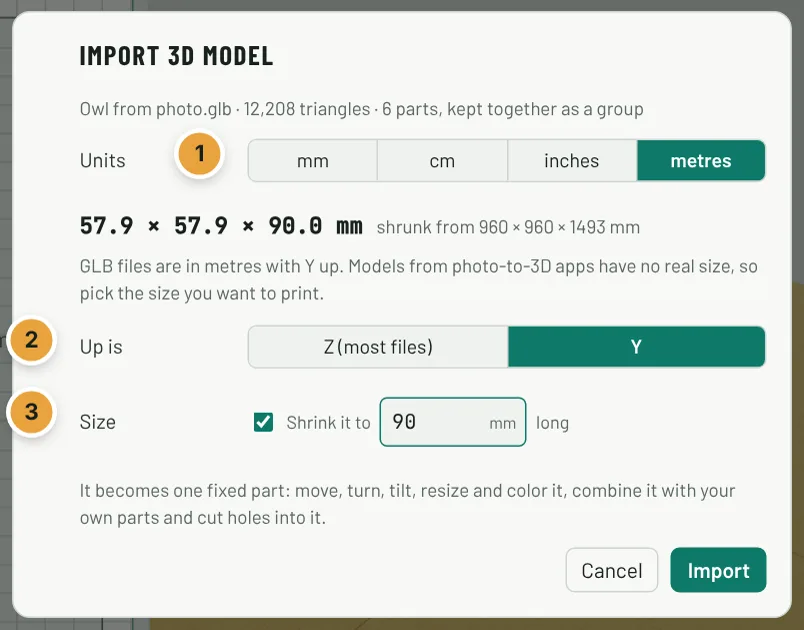
- In Extrudable3D, click Import 3D at the top, or drop the file onto the app. These models have no real size, so the window offers to shrink it: Shrink it to 100 mm long is ticked for you (that is its longest side). Change the number if you like, and check Up is: Y so it stands upright. Click Import.
- Resize it with the 3D handles if you changed your mind about the size. Hold Shift on a corner to keep its proportions.
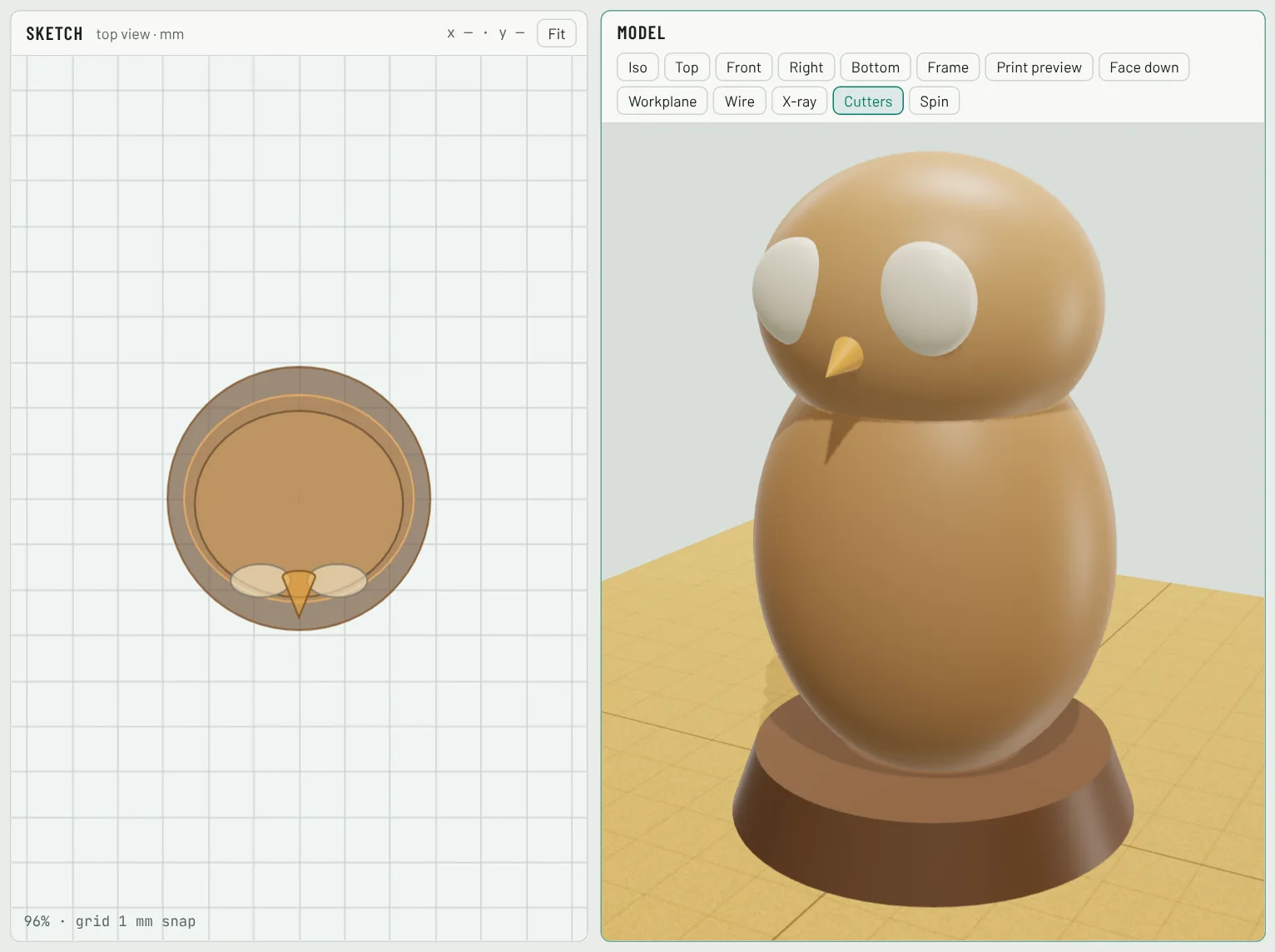
- Give it a flat bottom: most generated models have a rounded underside. Add a Cylinder or Box from the shape library, 2–3 mm tall, under the feet, and drag the model down onto it so they overlap a little. Or turn on Base plate in the project settings.
- Make it yours: add a name on the base with the Text tool, or a magnet hole underneath so it sticks to the fridge.
- Click Boxley (bottom right) for a print check. He points out steep overhangs that need supports, parts floating in the air and spots thinner than your nozzle can print, with one-click fixes.
- Export STL for one color, or 3MF to keep the parts in their own colors, and slice it as usual.
Questions
Which file should I download from the photo-to-3D app?
GLB if it is offered: it keeps each part’s color. STL and OBJ work too. If the app offers compression (Draco), turn it off: compressed files can’t be opened yet.
Why is my model huge or tiny when it comes in?
Photo-to-3D models have no real size; GLB files are measured in metres, so a model can arrive a metre or two tall. Keep Shrink it to … mm long ticked in the import window and type how long its longest side should be.
It came in lying on its side. What now?
Import it again and pick Up is: Y (GLB files are picked that way for you). Or select it and use the tilt arrows, or Upside down, to stand it up.
Why did the colors disappear?
Most photo-to-3D models paint their colors on as a picture (a texture), which a 3D printer can’t use. Each part comes in with one color; pick colors in the panel and export 3MF for a multi-color printer.
Does it need supports?
Often, for arms or heads that stick out. Boxley’s print check shows the steep overhangs. Your slicer’s tree supports are usually the cleanest to remove from figurines.
Can I sell prints of it?
Selling prints or files is commercial use, included in the Seller plan, as long as you have the rights to the subject and the photo-to-3D app’s terms allow commercial use of its models.